
How it works
From a trip idea to a plan you can follow.
Add what you know. See what the trip may cost. Bring the bookings together and work through what comes next.
Real planner screens with demonstration trip data. Open each example for a closer look.
How it works
Add what you know. Build the rest at your pace.
You add
Your dates, destinations, budget and bookings. You can start with an outline and fill in the detail later.
The planner helps you
Estimate costs, build the route, track spending, spot gaps and keep deadlines and next steps in view.
Ask Travel Oracle for help with your trip. It can explain your options, spot practical changes and, where supported, let you apply them directly to your planner after your approval.
You get
A live trip plan, Trip Check and help from Travel Oracle, your AI trip assistant. Plus an Itinerary PDF, Travel Pack (your downloadable trip summary) and calendar dates.
Step 01
Start with the outline
Add your dates, number of travellers and overall budget. Start Here points you towards the next useful step.
Start Here
Add your dates, number of travellers and overall budget. Start Here points you towards the next useful step.
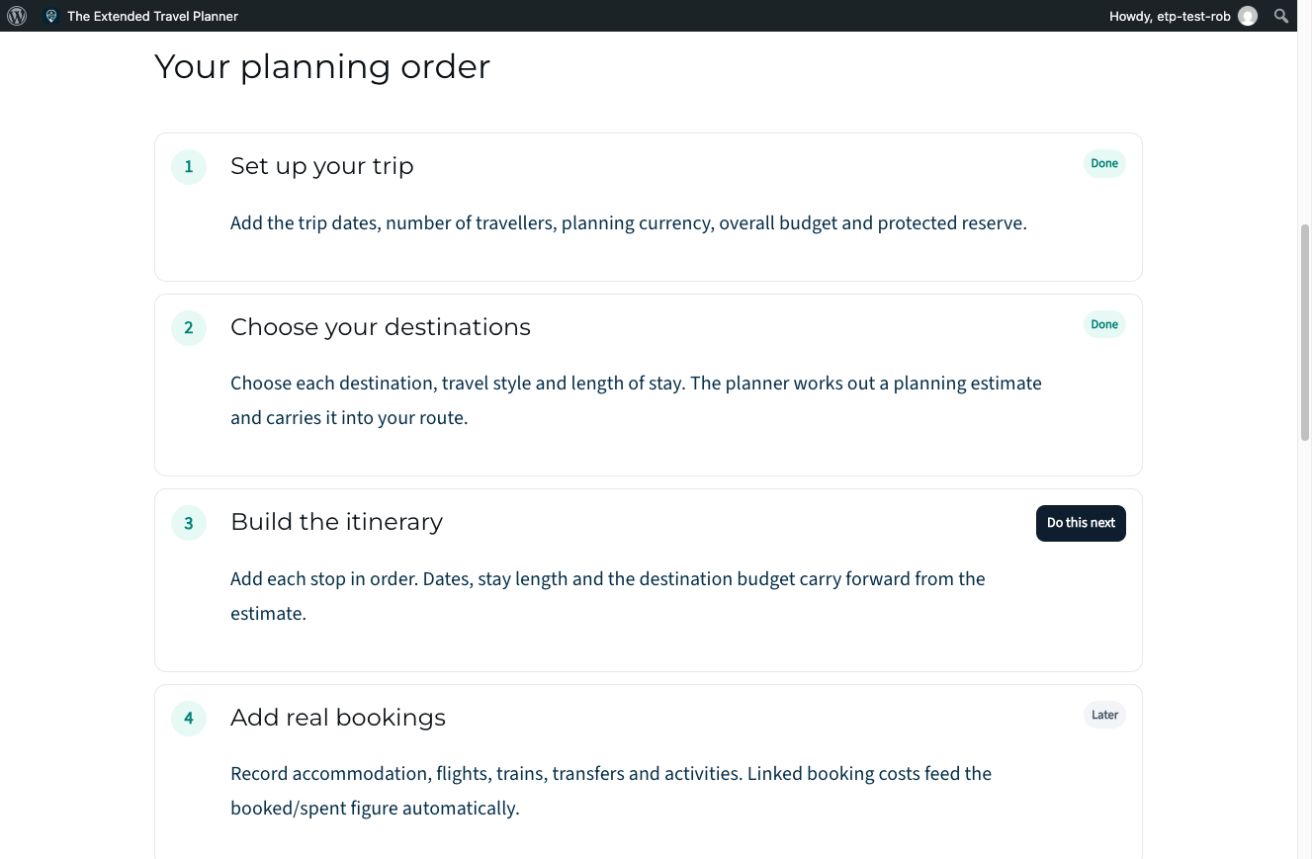
Swipe the screenshot sideways to see more. Open full-size Start Here screenshot (new tab)
Step 02
Compare destinations and likely costs
Choose destinations and a travel style. Use research-based estimates to decide what fits your budget before booking.
How Much Will It Cost?
Choose destinations and a travel style. Use research-based estimates to decide what fits your budget before booking.

Swipe the screenshot sideways to see more. Open full-size How Much Will It Cost? screenshot (new tab)
Step 03
Build your route
Put destinations, arrival dates and nights in order. Adjust stops as your plans develop.
Route
Put destinations, arrival dates and nights in order. Adjust stops as your plans develop.
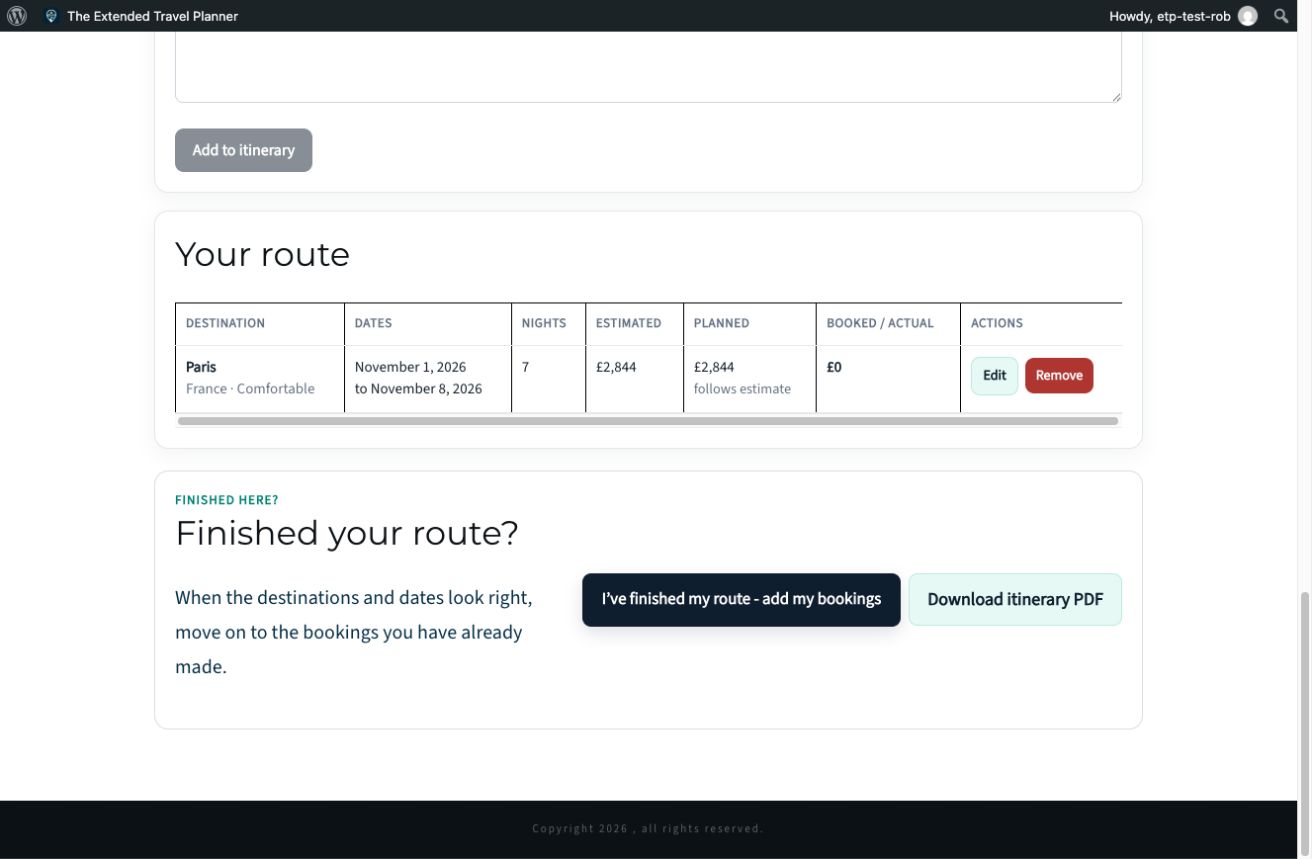
Swipe the screenshot sideways to see more. Open full-size Route screenshot (new tab)
Step 04
Keep bookings and spending together
Add a booking and link it to a route stop. Keep travel dates, costs and cancellation deadlines together, then review the budget.
Bookings
Add a booking and link it to a route stop. Keep travel dates, costs and cancellation deadlines together, then review the budget.
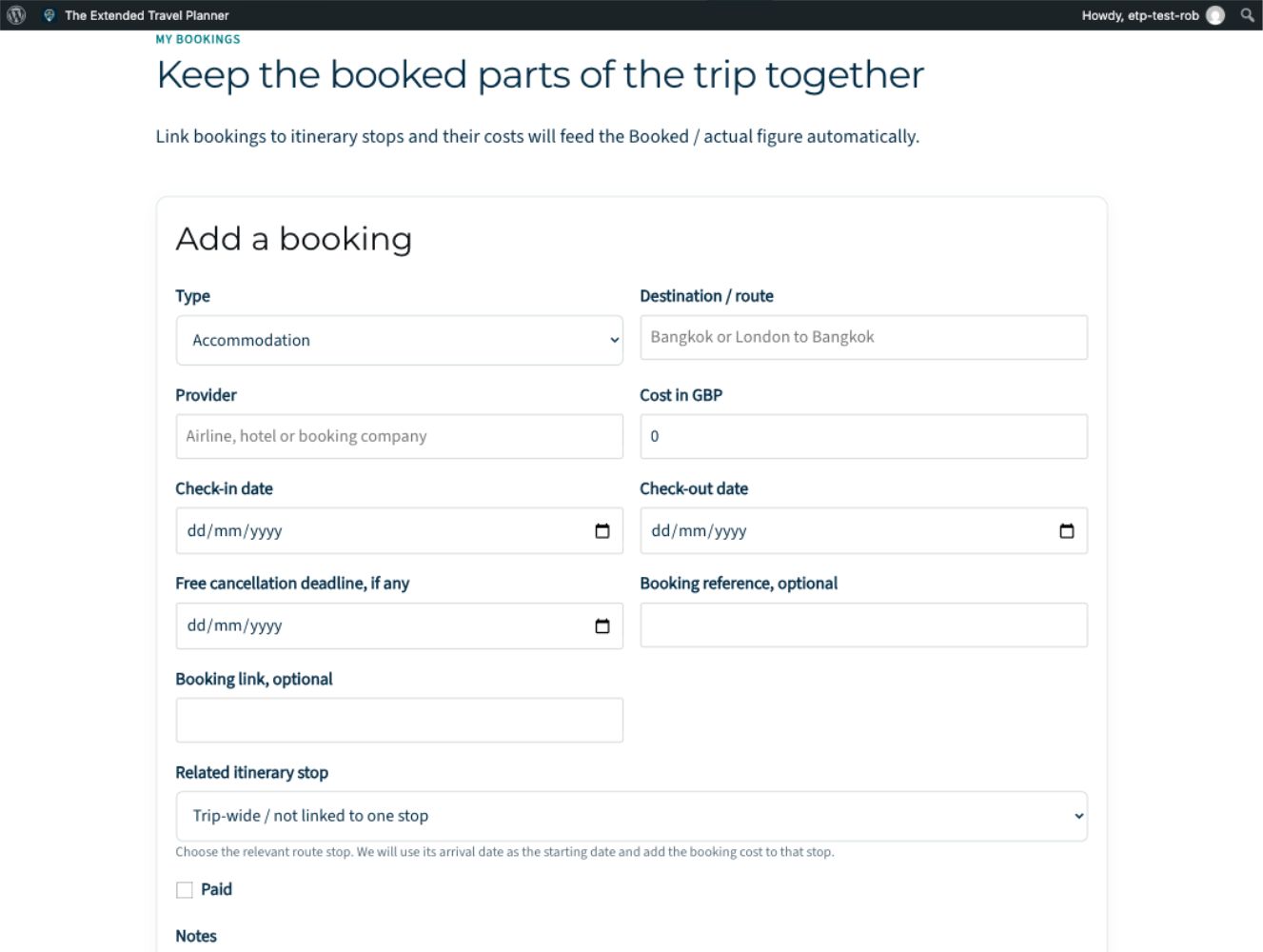
Swipe the screenshot sideways to see more. Open full-size Bookings screenshot (new tab)
Step 05
See what still needs attention
Use Trip Check to spot missing bookings, gaps and unfinished tasks. Ask Travel Oracle when you want help deciding what to do next.
Trip Check
Use Trip Check to spot missing bookings, gaps and unfinished tasks. Ask Travel Oracle when you want help deciding what to do next.
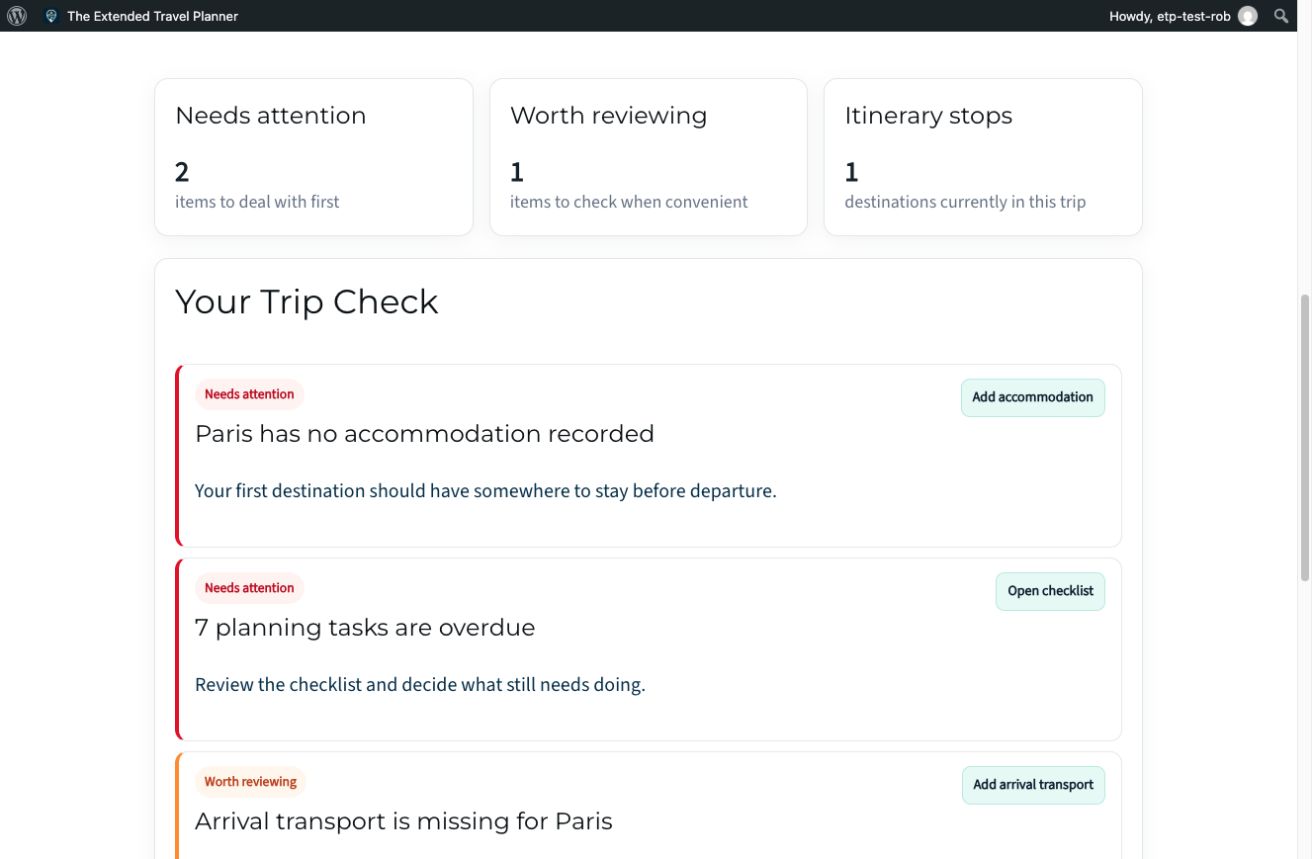
Swipe the screenshot sideways to see more. Open full-size Trip Check screenshot (new tab)
Travel Oracle, your AI trip assistant
From advice to action. With your approval.
Travel Oracle understands your saved trip, including your route, budget, bookings, checklist and Trip Check results. It can answer questions using your actual plans and, when needed, use current web research to help with up-to-date travel information.
It can also suggest practical changes to your trip. You can review exactly what would change before deciding whether to apply it.
For supported planner changes, you can ask it to:
You stay in control. Travel Oracle never changes your trip until you approve the change.
Travel Oracle
A real example of help based on our demonstration trip.

Swipe the screenshot sideways to see more. Open full-size Travel Oracle screenshot (new tab)
Travel Oracle offers planning help, not professional immigration, legal, financial or medical advice. Check important requirements with the relevant official sources.
Final step · Take your plan with you
The useful details, ready to download.
Travel Pack, your downloadable trip summary, keeps key details together. Download an Itinerary PDF for the route and export important dates to your calendar.
Travel Pack
Keep a practical offline copy of the plan. Download a fresh copy when your trip changes.
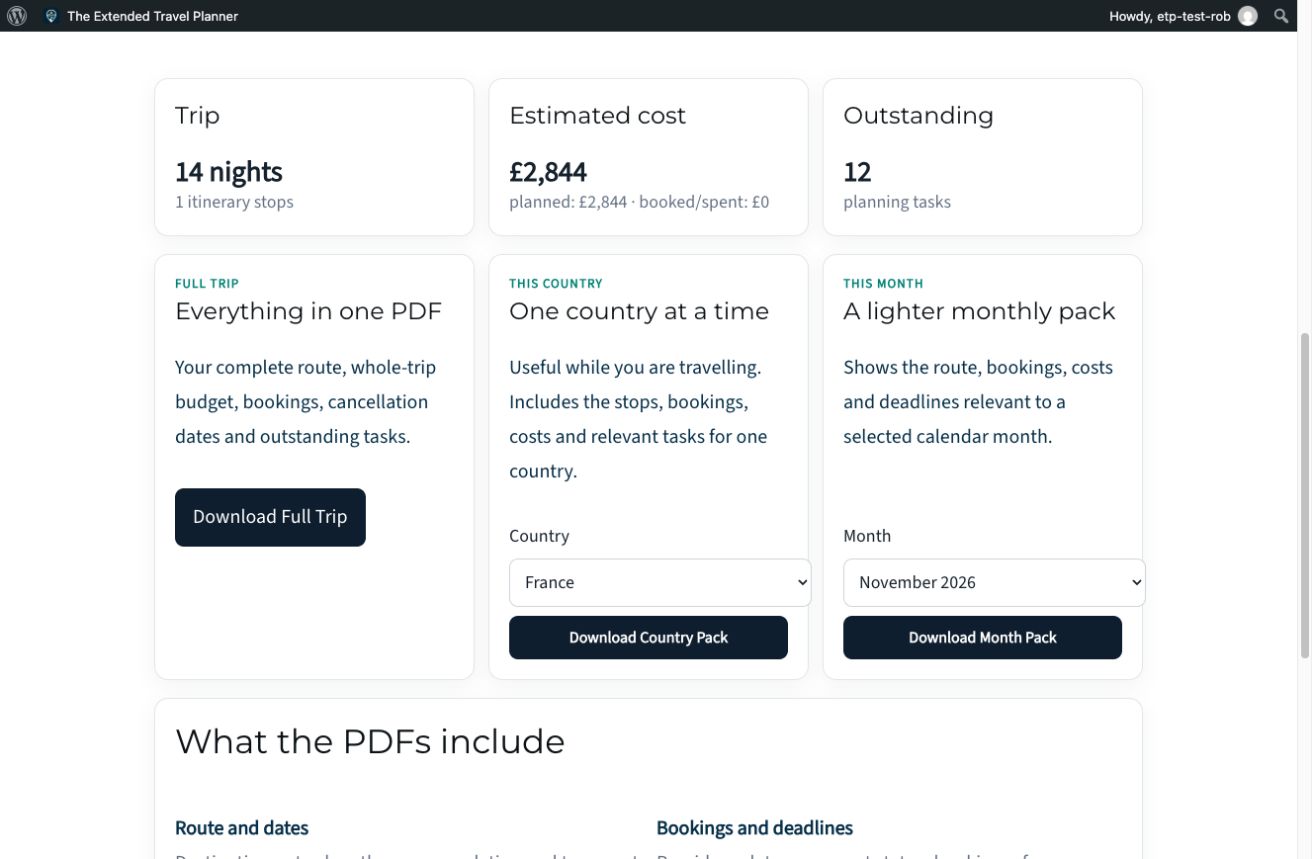
Swipe the screenshot sideways to see more. Open full-size Travel Pack screenshot (new tab)
The online planner remains the place to update your trip. Downloads are a snapshot of the plan when you create them.
One place for the whole trip.
See pricing
Plan. Budget. Organise. Go.
A practical travel companion
from James & Rob.